
COGICOGI User Manual
Please turn on Bluetooth and location services on your smartphone
Why not enjoy shared bicycles with COGICOGI SMART!?
You can rent a bike at your preferred port and return it at your preferred port.
Search for "cogicogi" on Google Play (Android) or the App Store (iOS) and download the app
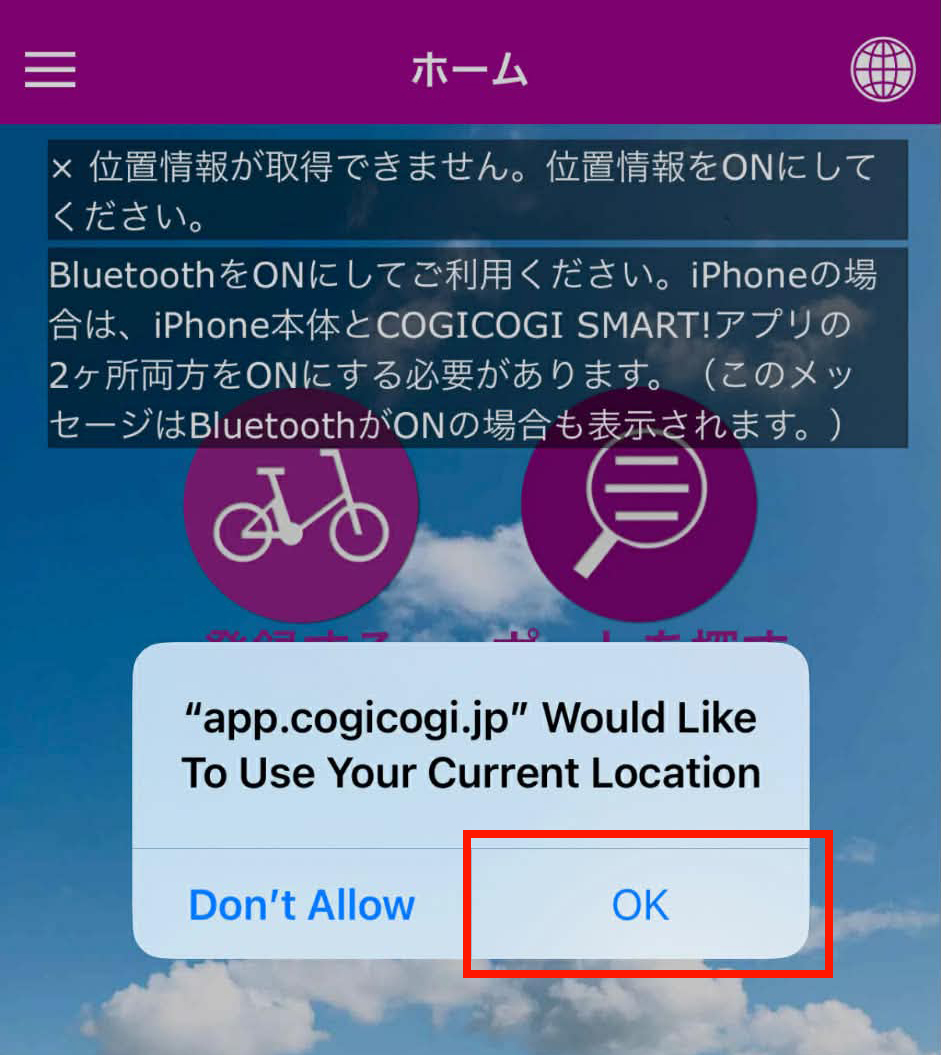
[Important!] After downloading, be sure to press OK on the screen. (If you don't, the "Borrow" button will become unavailable in STEP 4.)
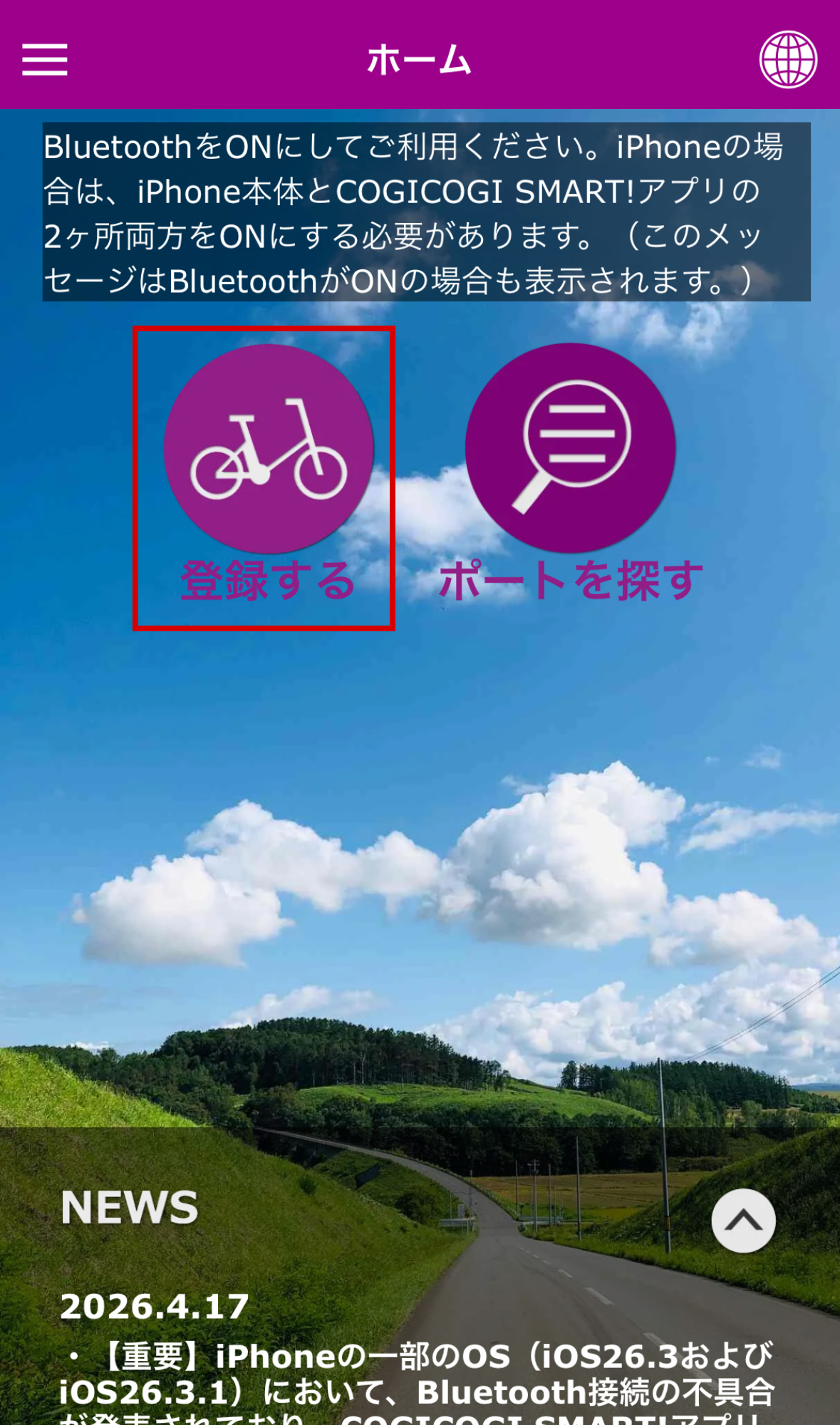
Open the app and register by clicking "Register."
You will then register your email address and account information.
Membership registration process
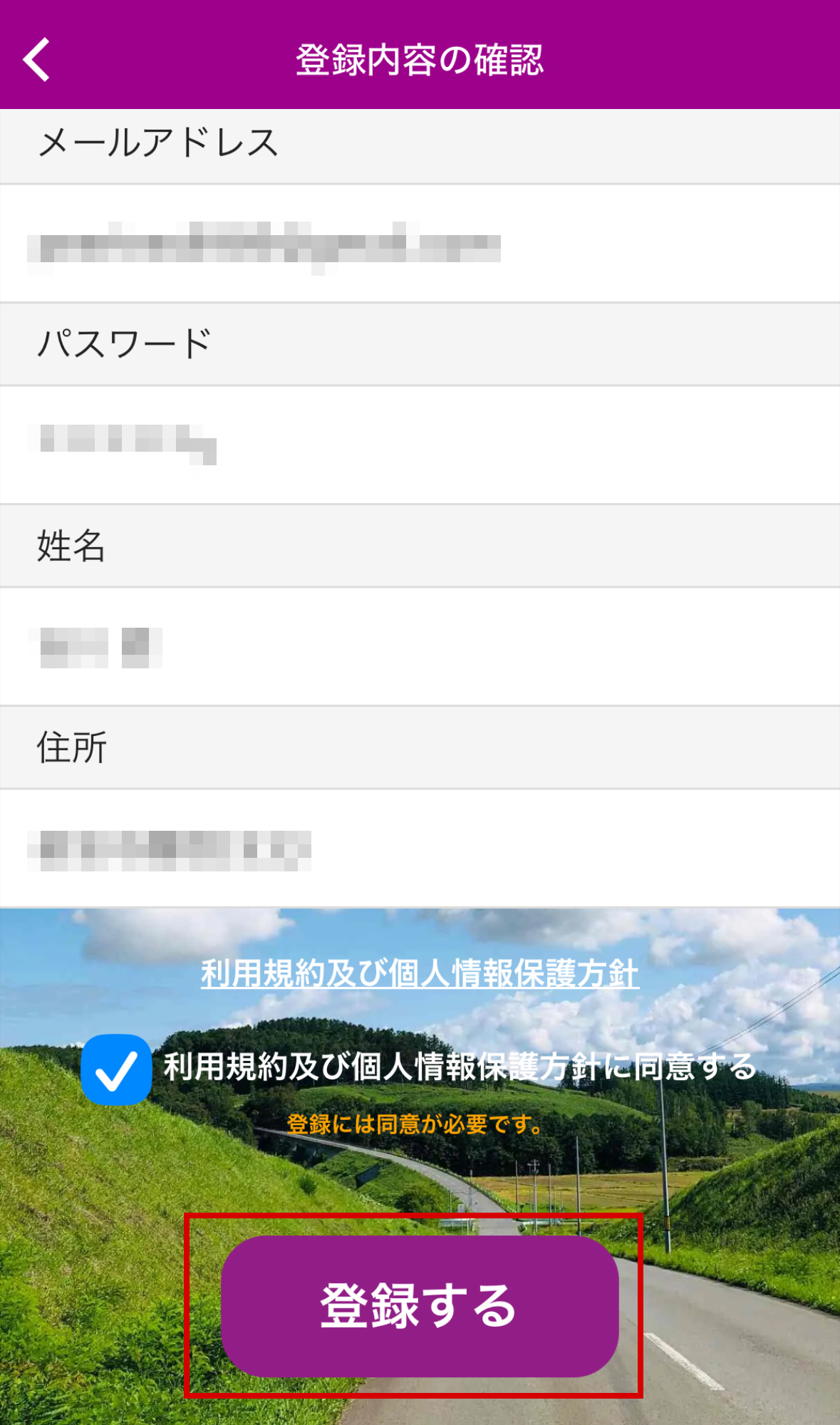
Tap "Register"
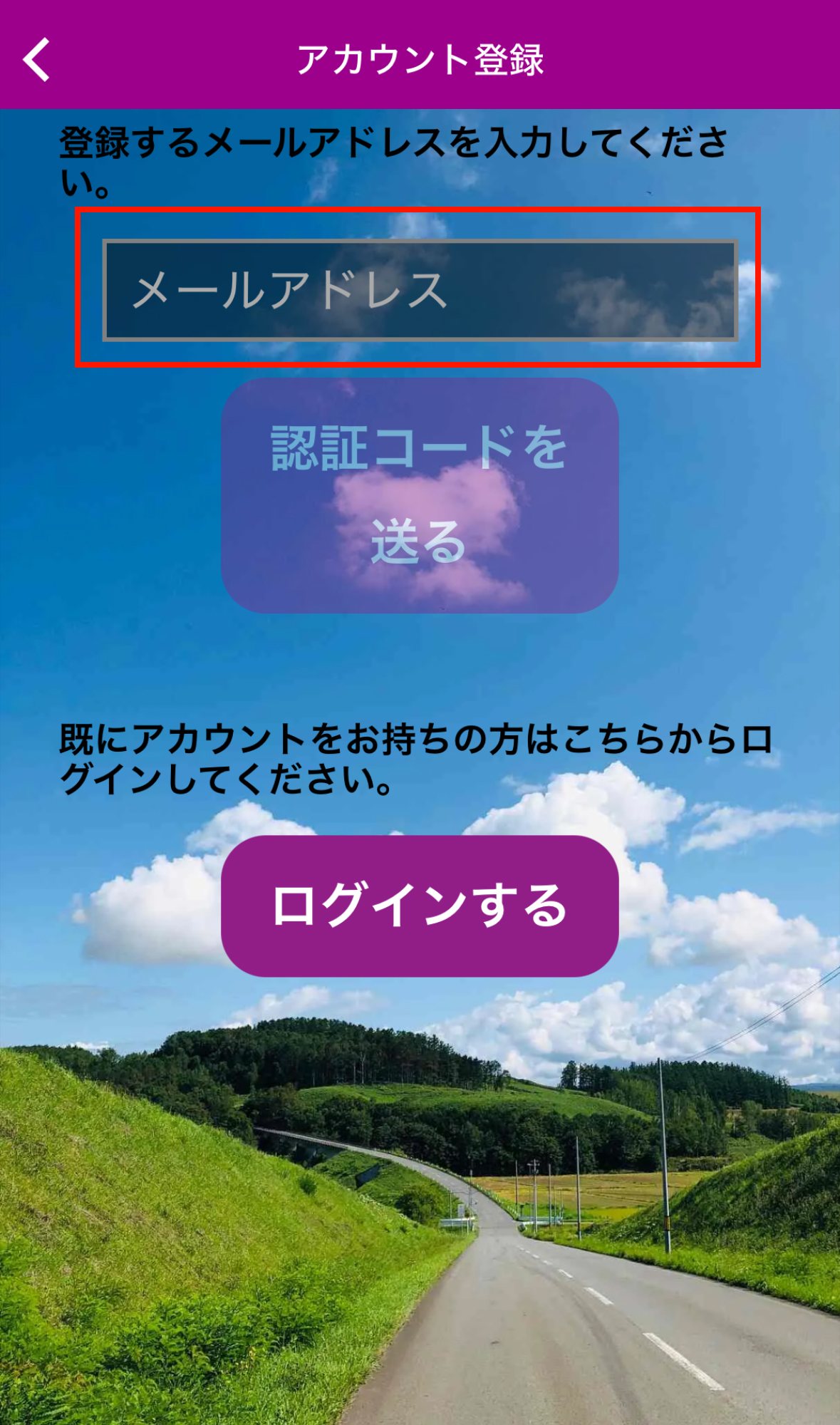
Enter your email address
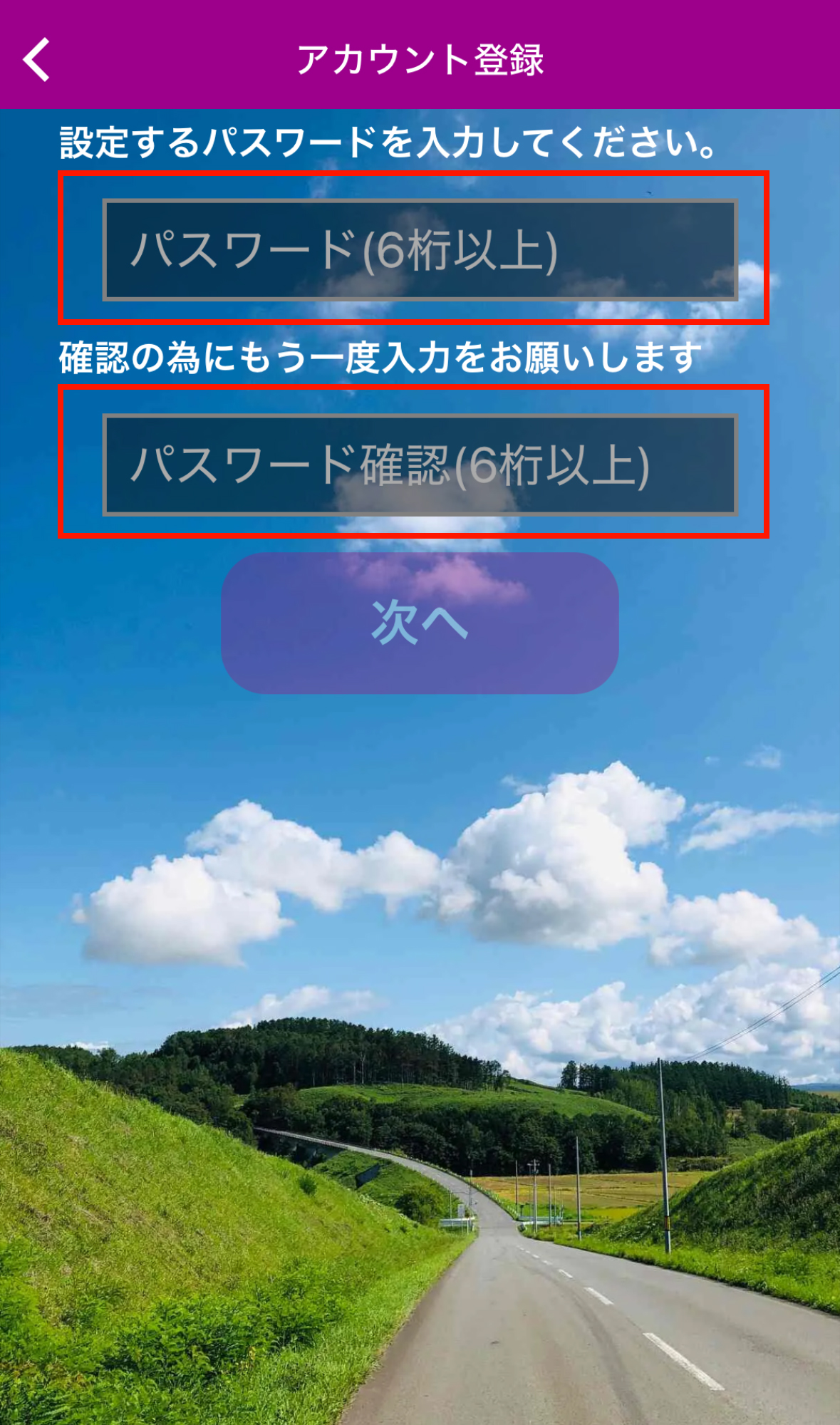
Register password
Tap "Register" to complete the process
Select an area and purchase your ticket. First-time users will need to register their credit card information
Rental process
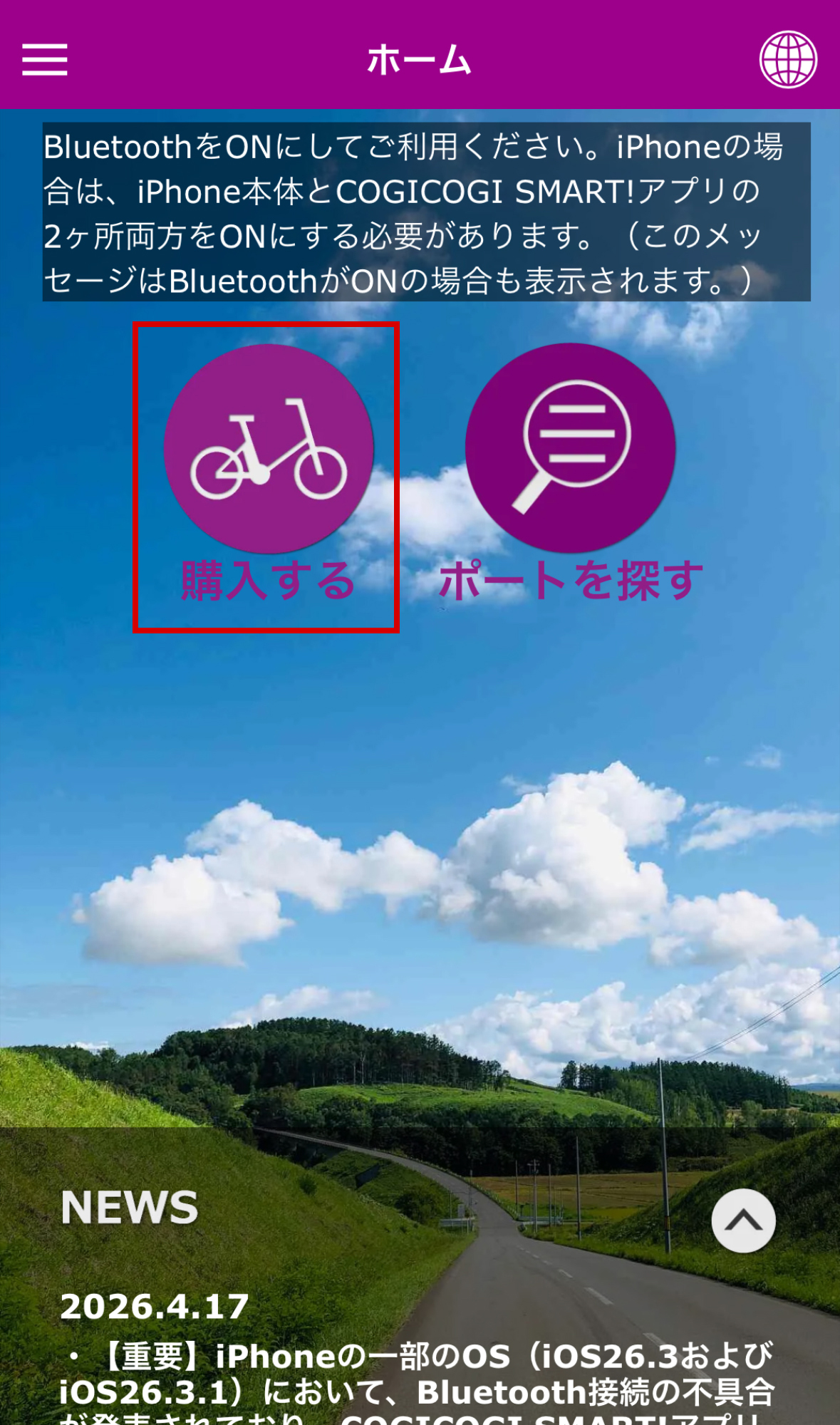
Tap "Purchase"
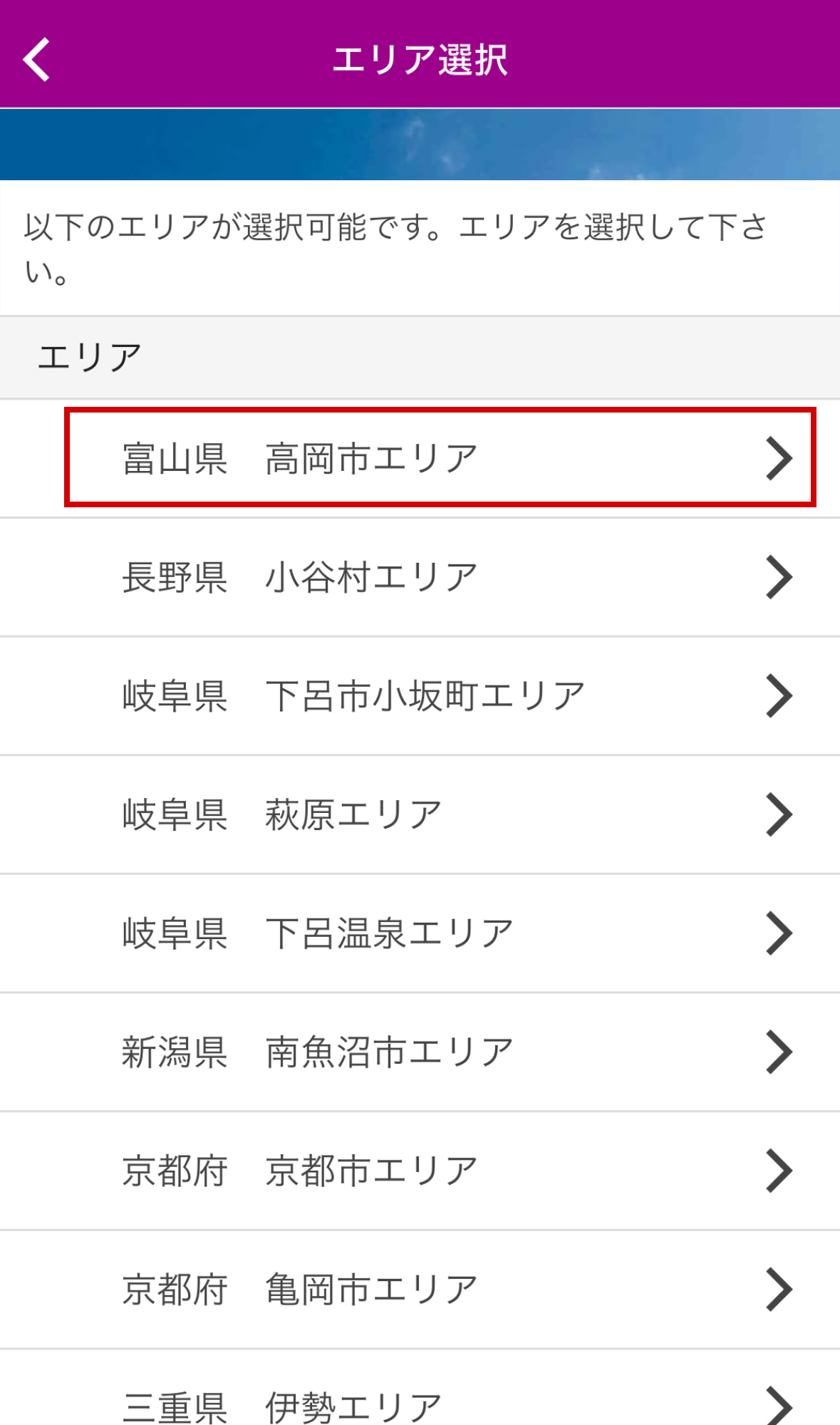
Choose the area you want to rent
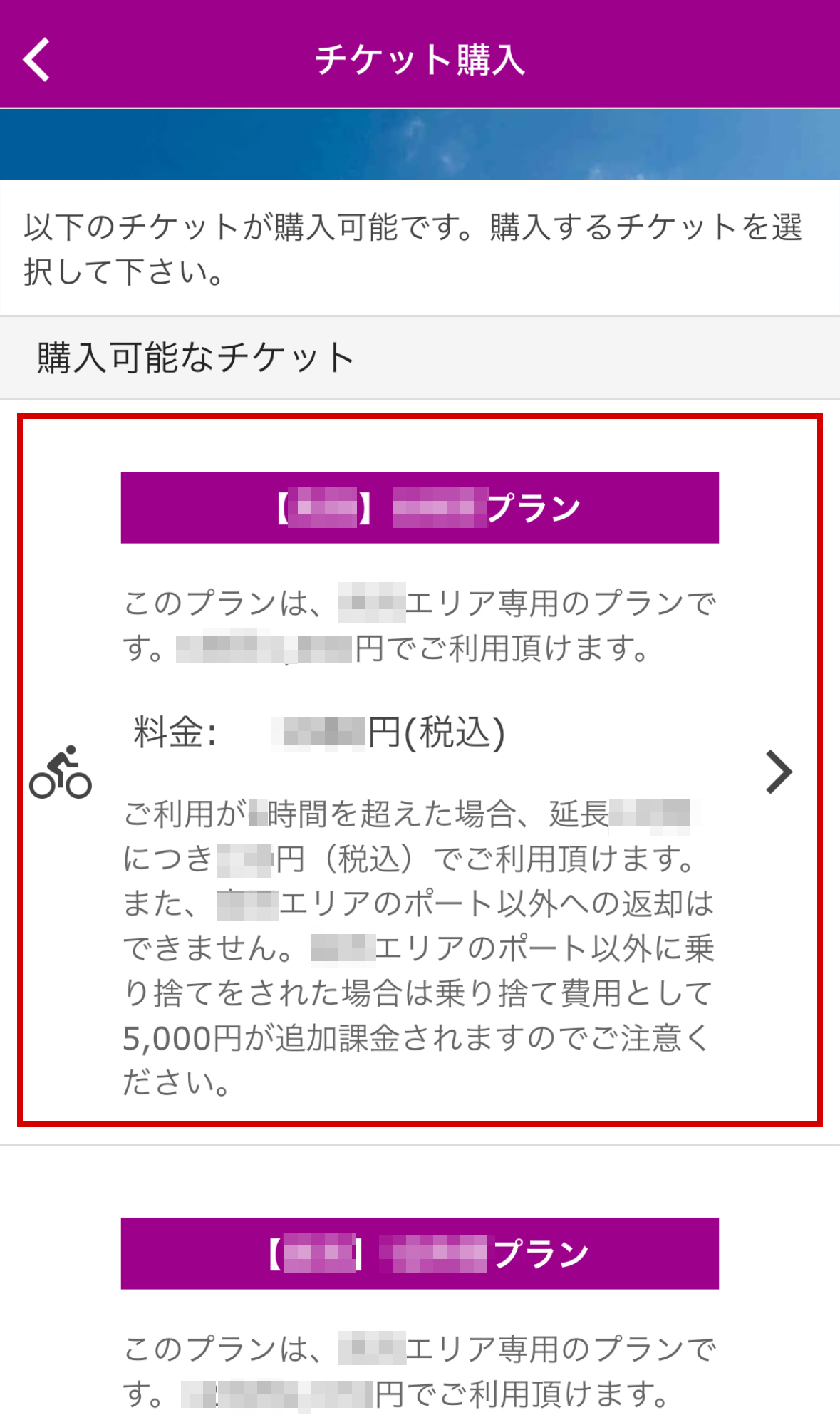
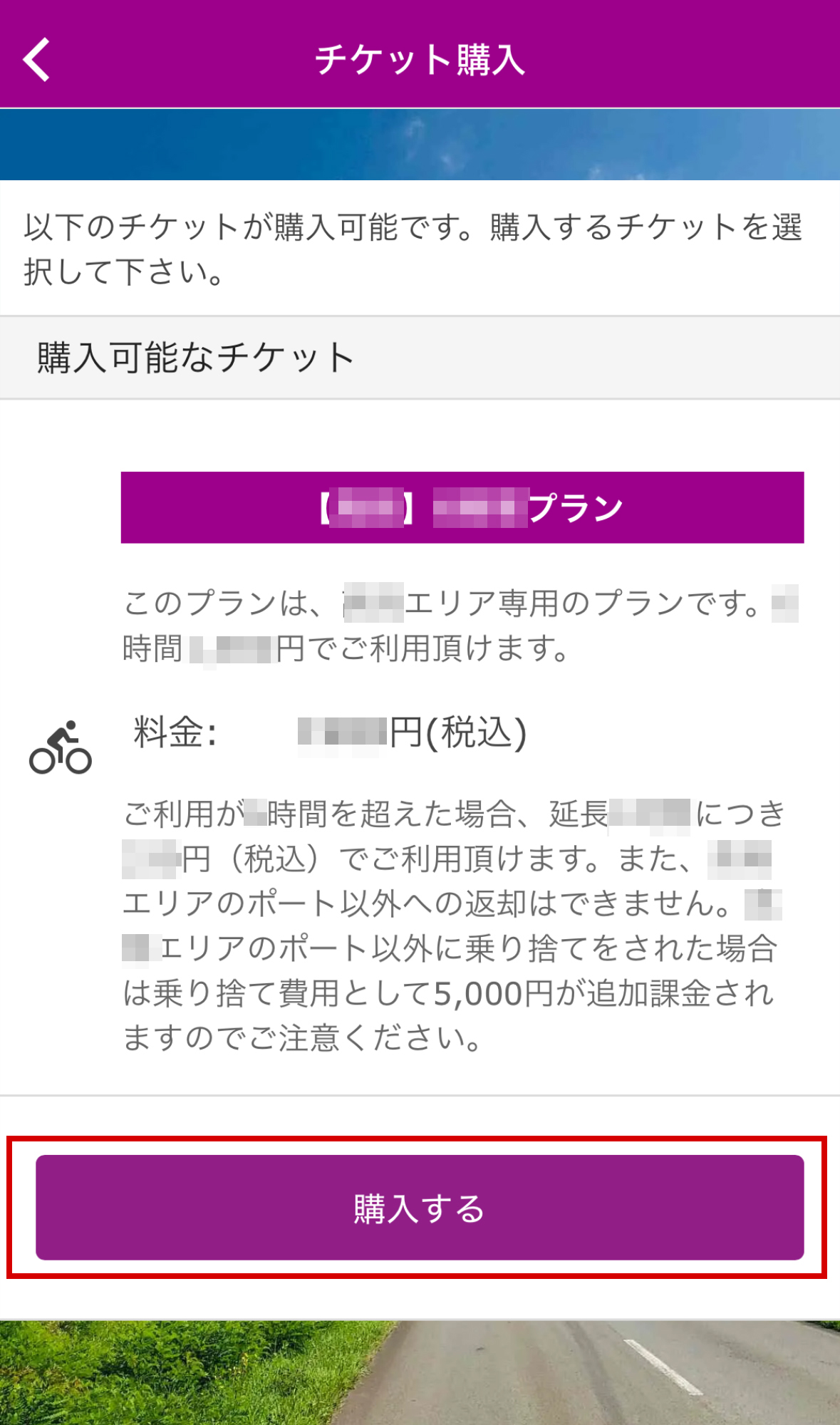
Choose a plan based on usage time
Please enter your credit card information
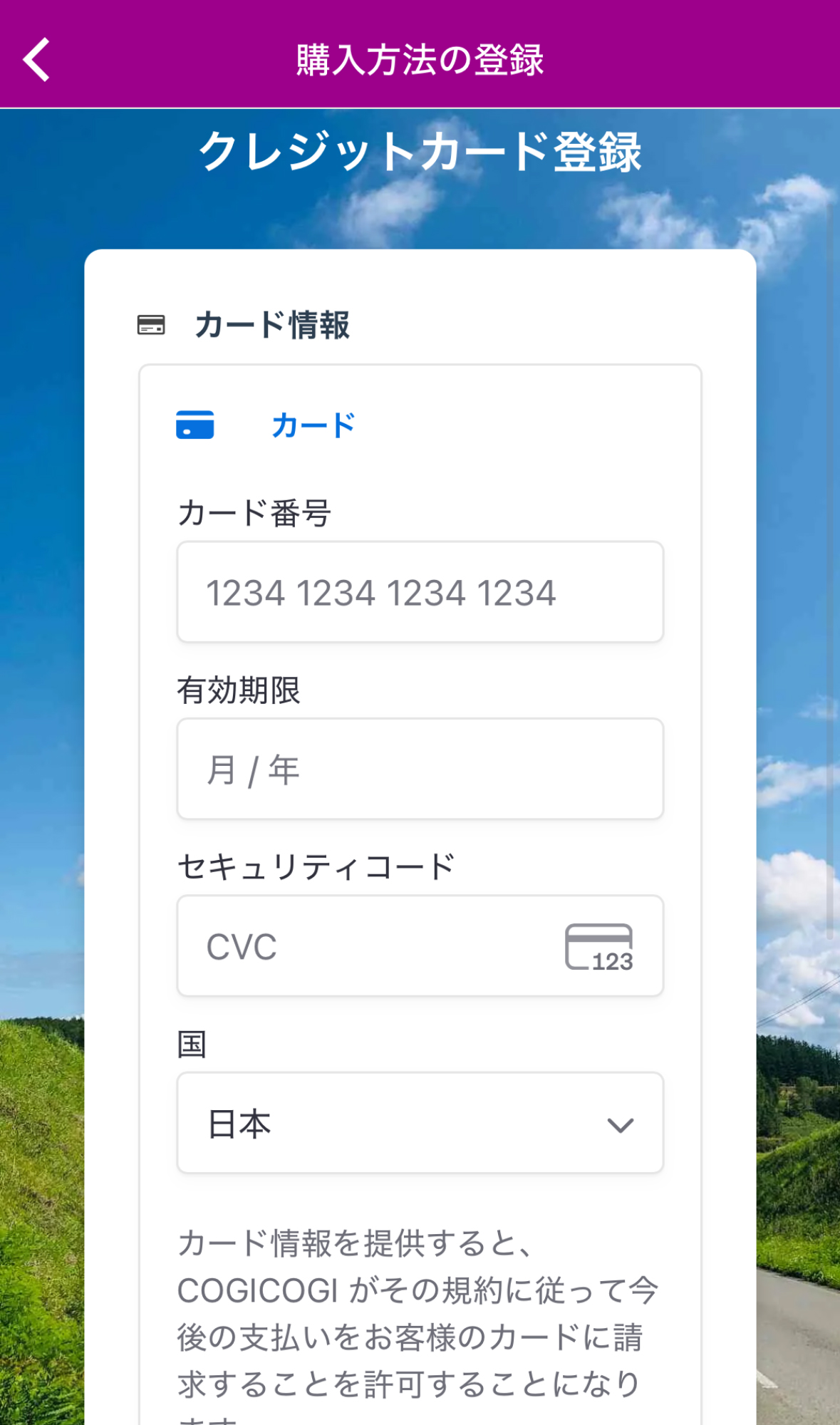
Register your card information
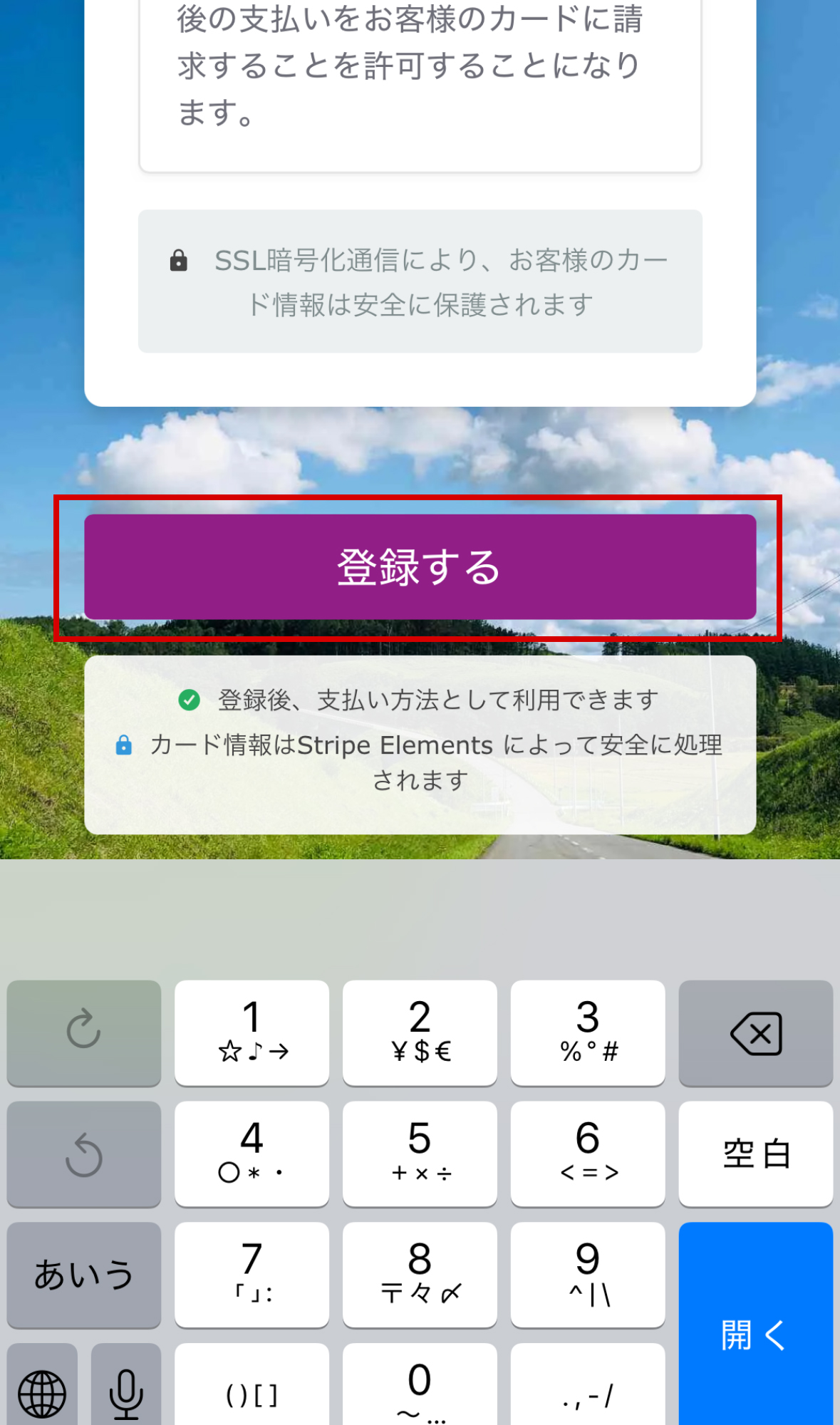
Press "Purchase" to complete the purchase
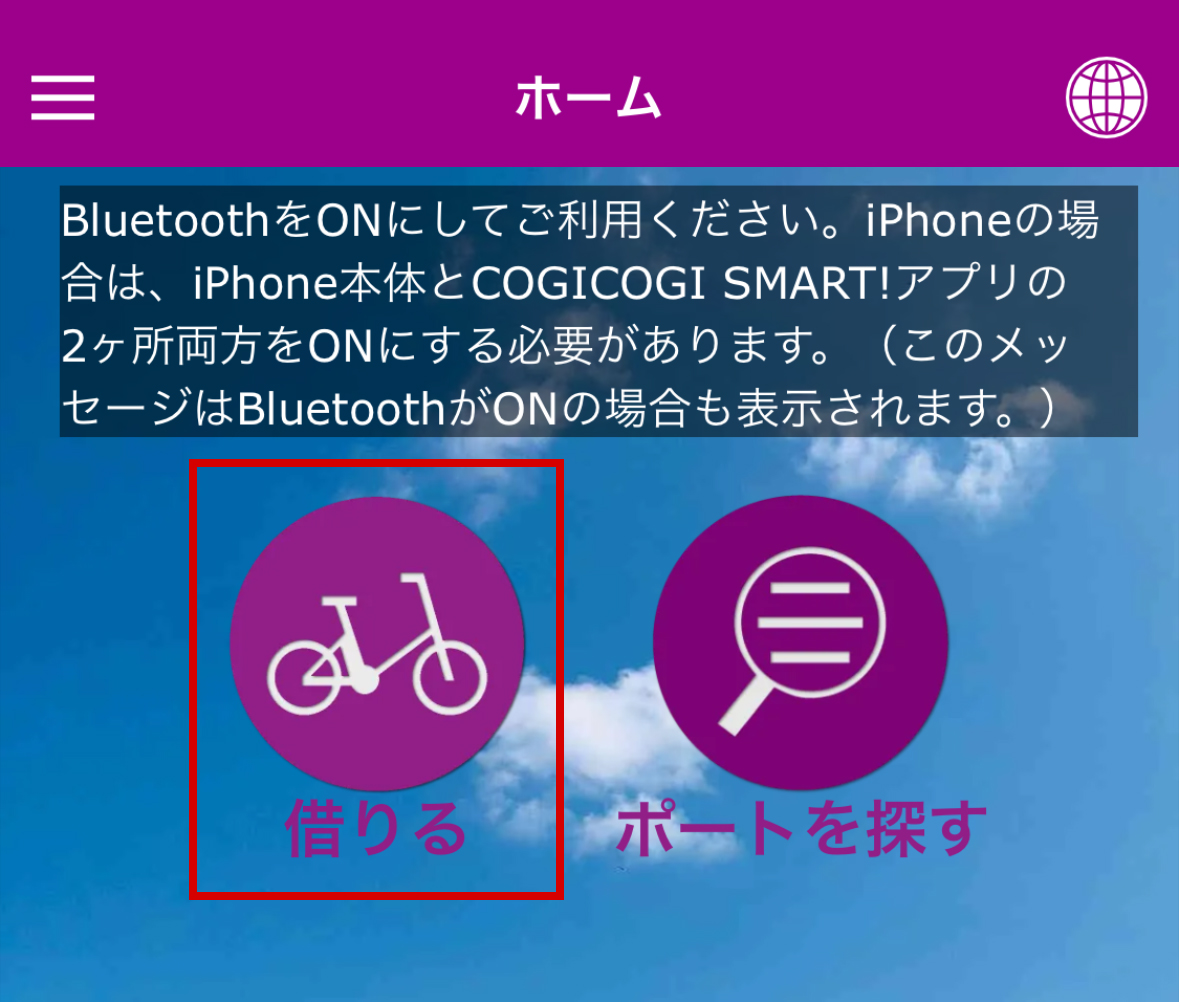
From the home screen, select "Rent" and choose an available bicycle.
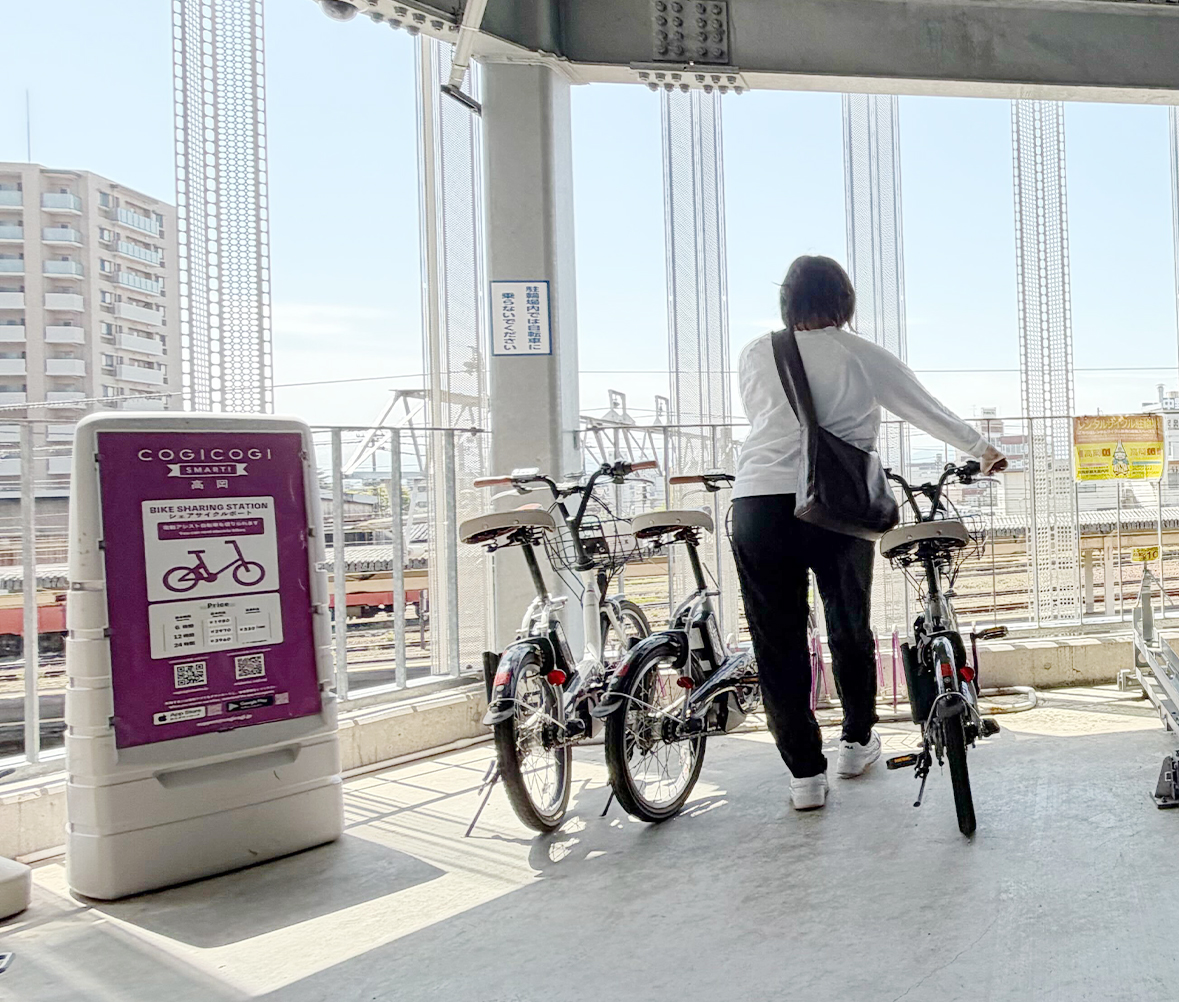
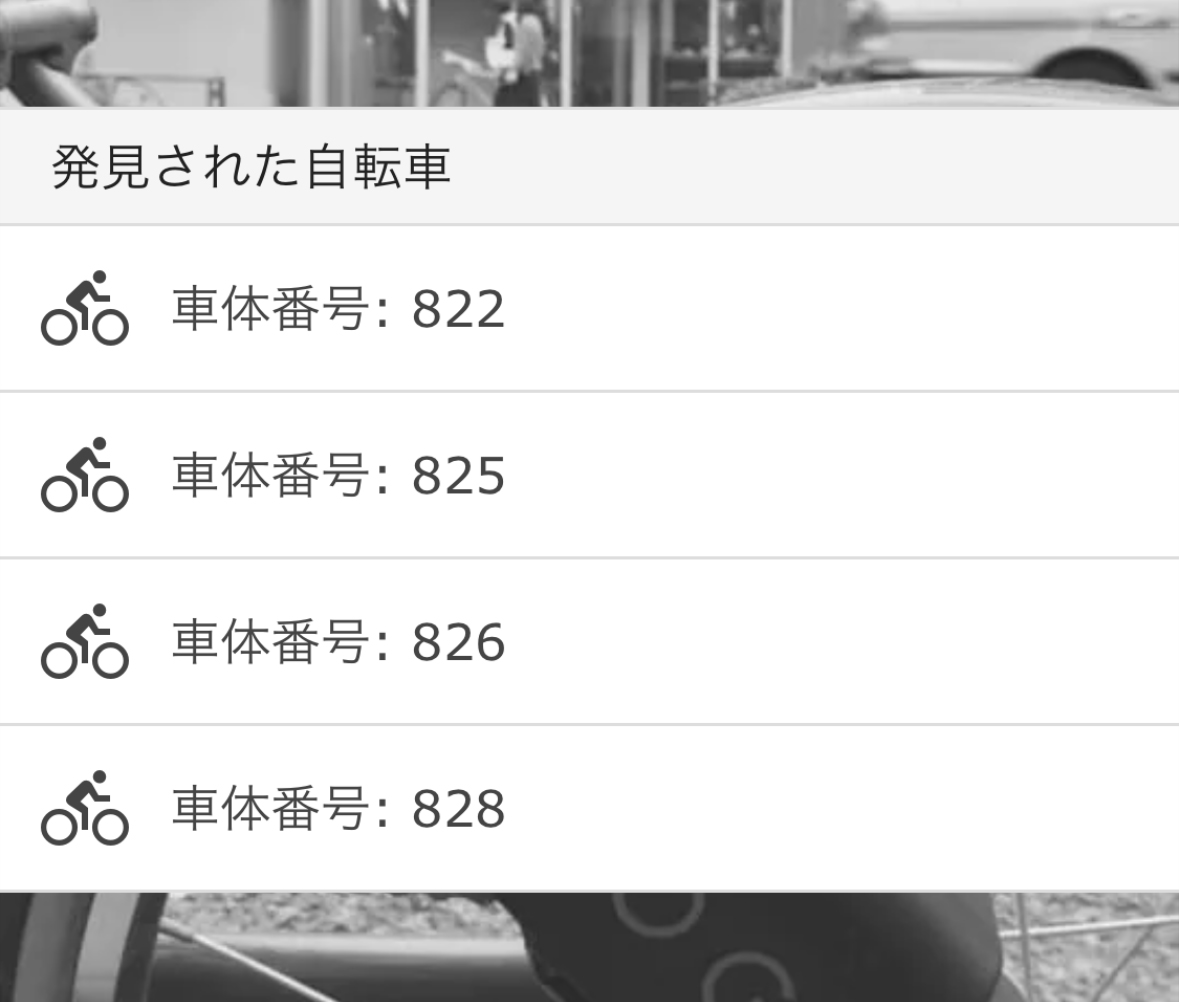
Once the app recognizes a bicycle near a port, select the corresponding number, unlock the lock, and start using it.
Go to port
Tap "Borrow"
Tap the number of the bicycle you want to rent
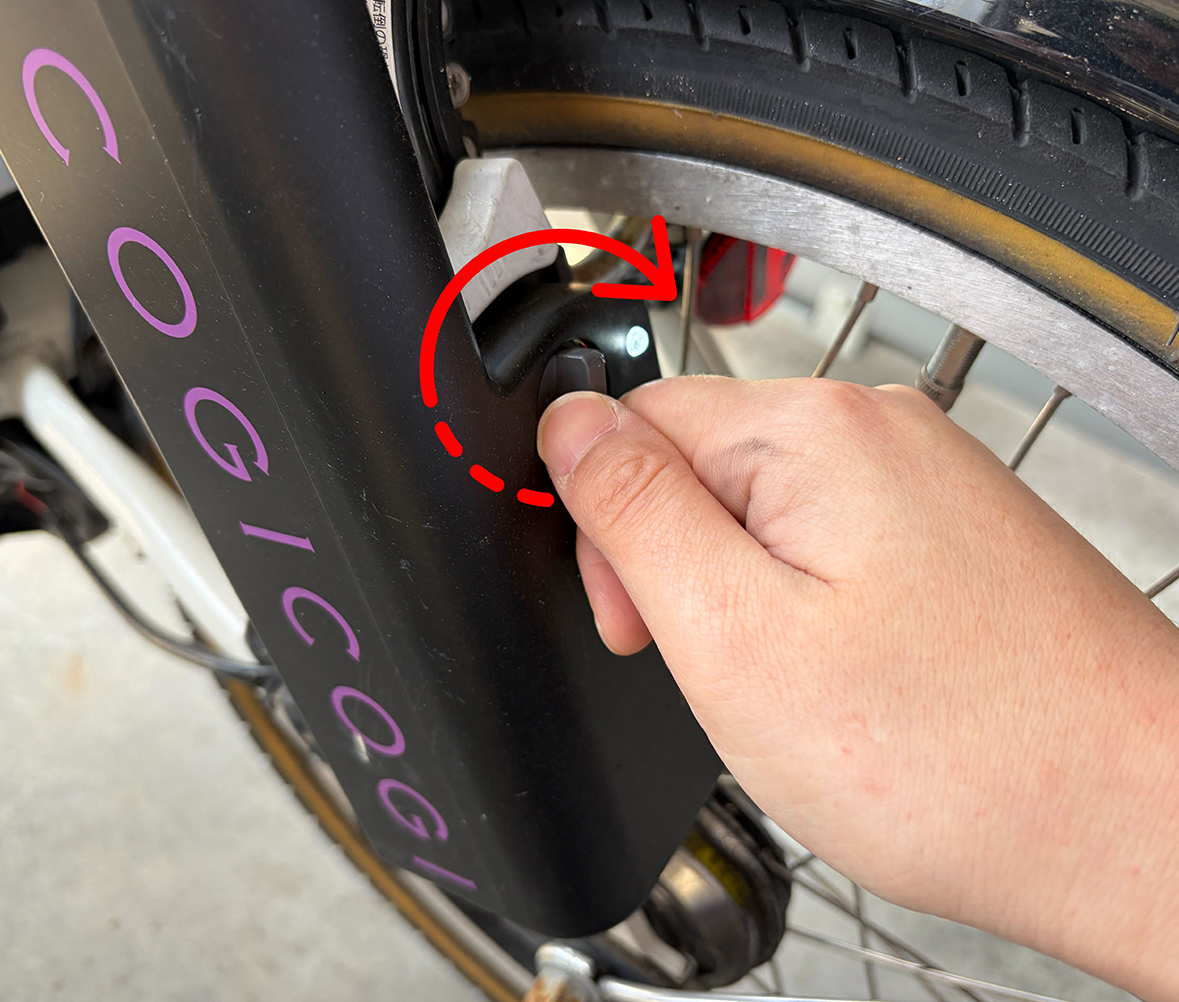
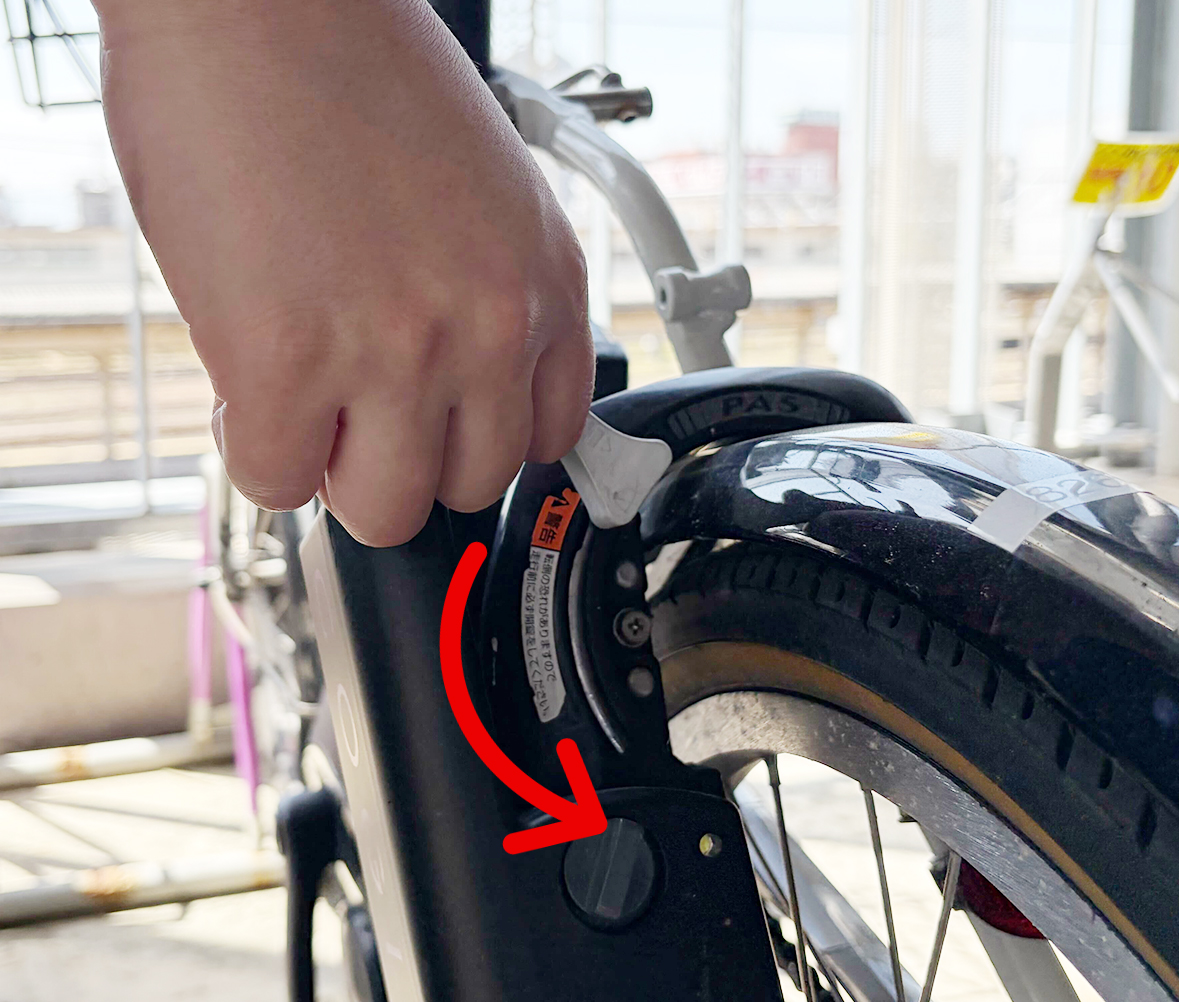
Turn the knob below the lamp to the right to unlock
Check the "Currently Rented" display
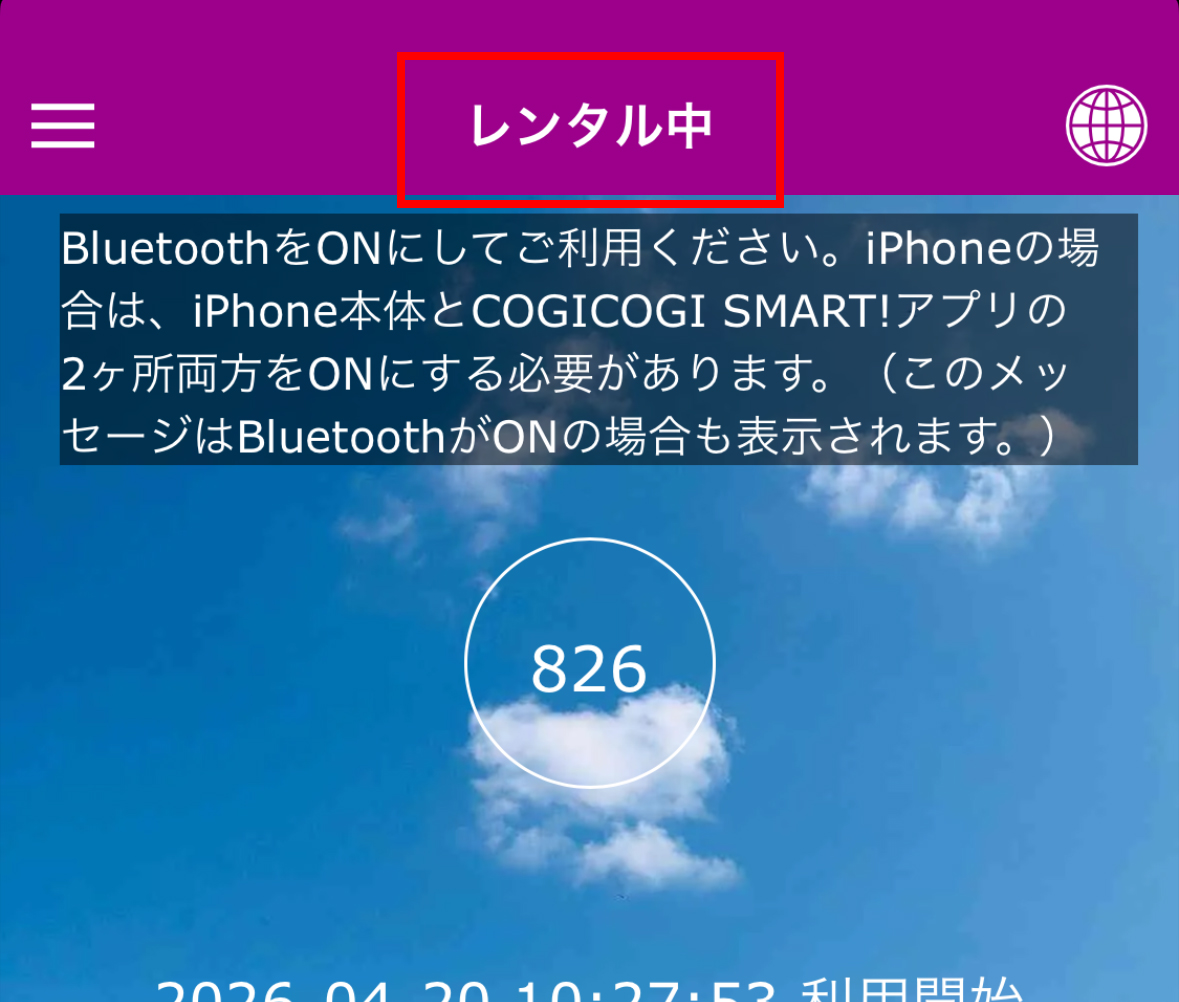
Rent a bicycle
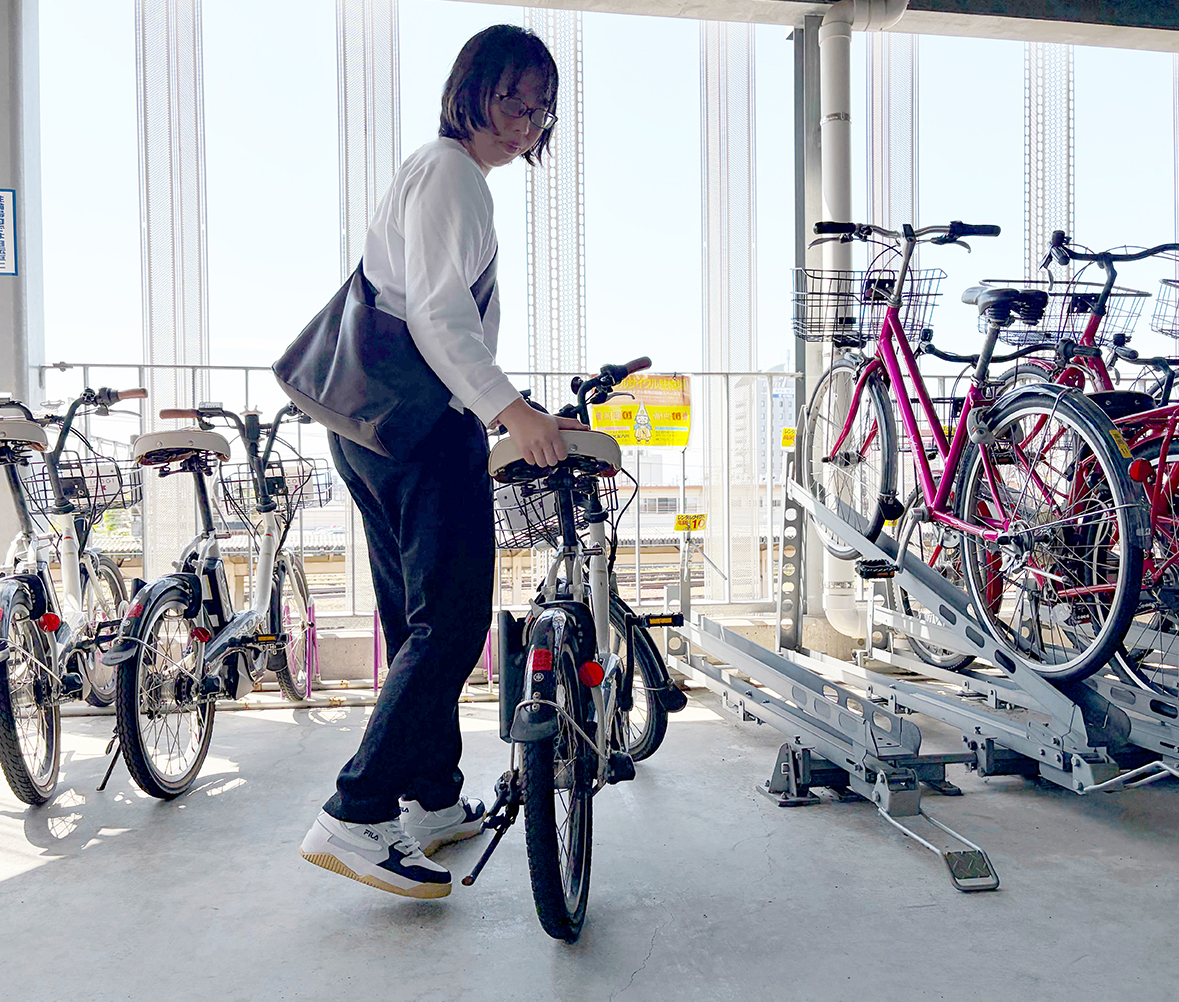
You can temporarily lock the bike when you need to stop somewhere along the way.
The locking method is the same as for a regular bicycle: simply lower the lever to lock it.
Lock
Lower the lever to lock it
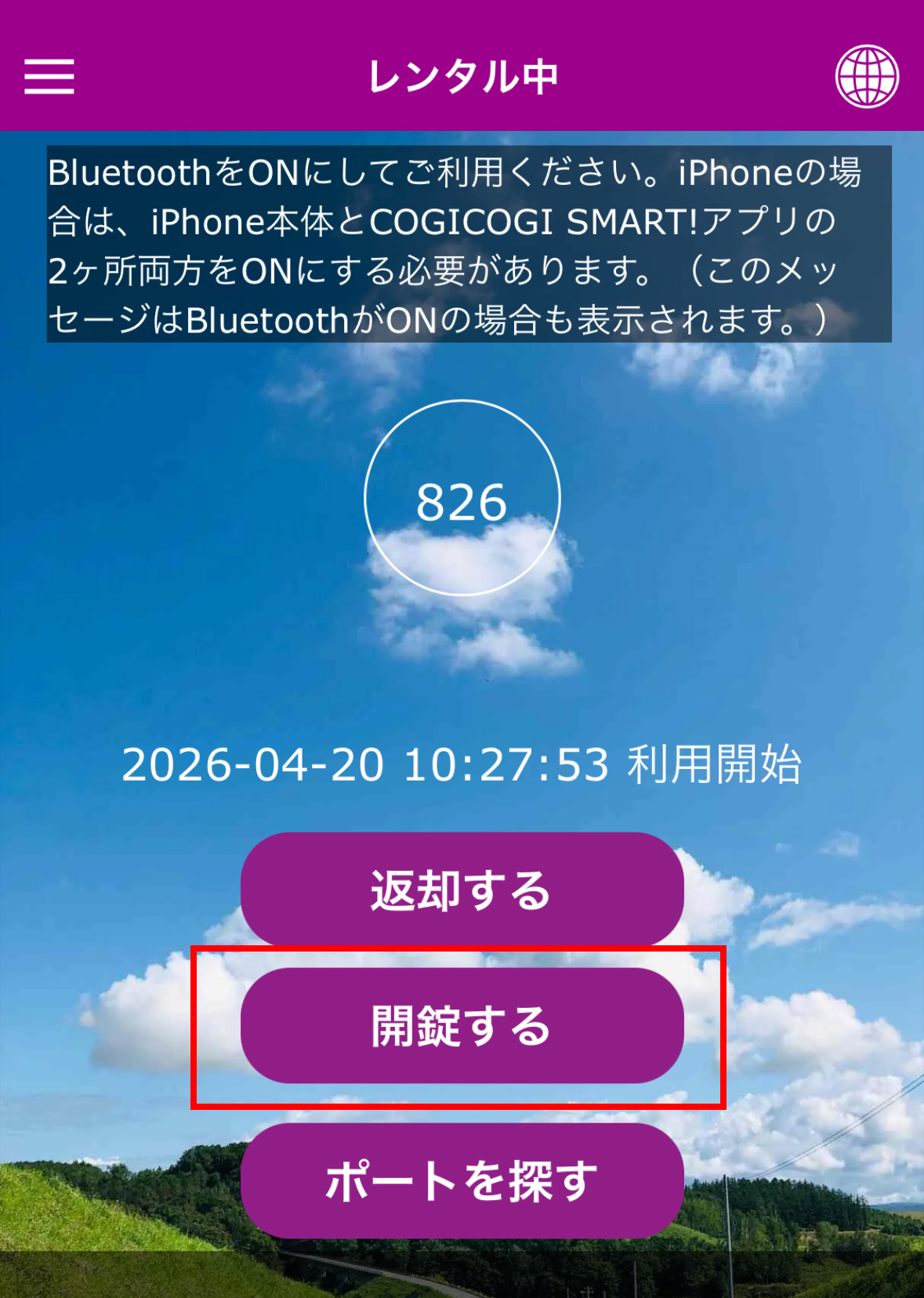
Unlock using the app
Press "Unlock"
Turn the knob below the lamp to the right to unlock
You can return the bicycle to any port of your choice. (Port locations can be found in the app.)
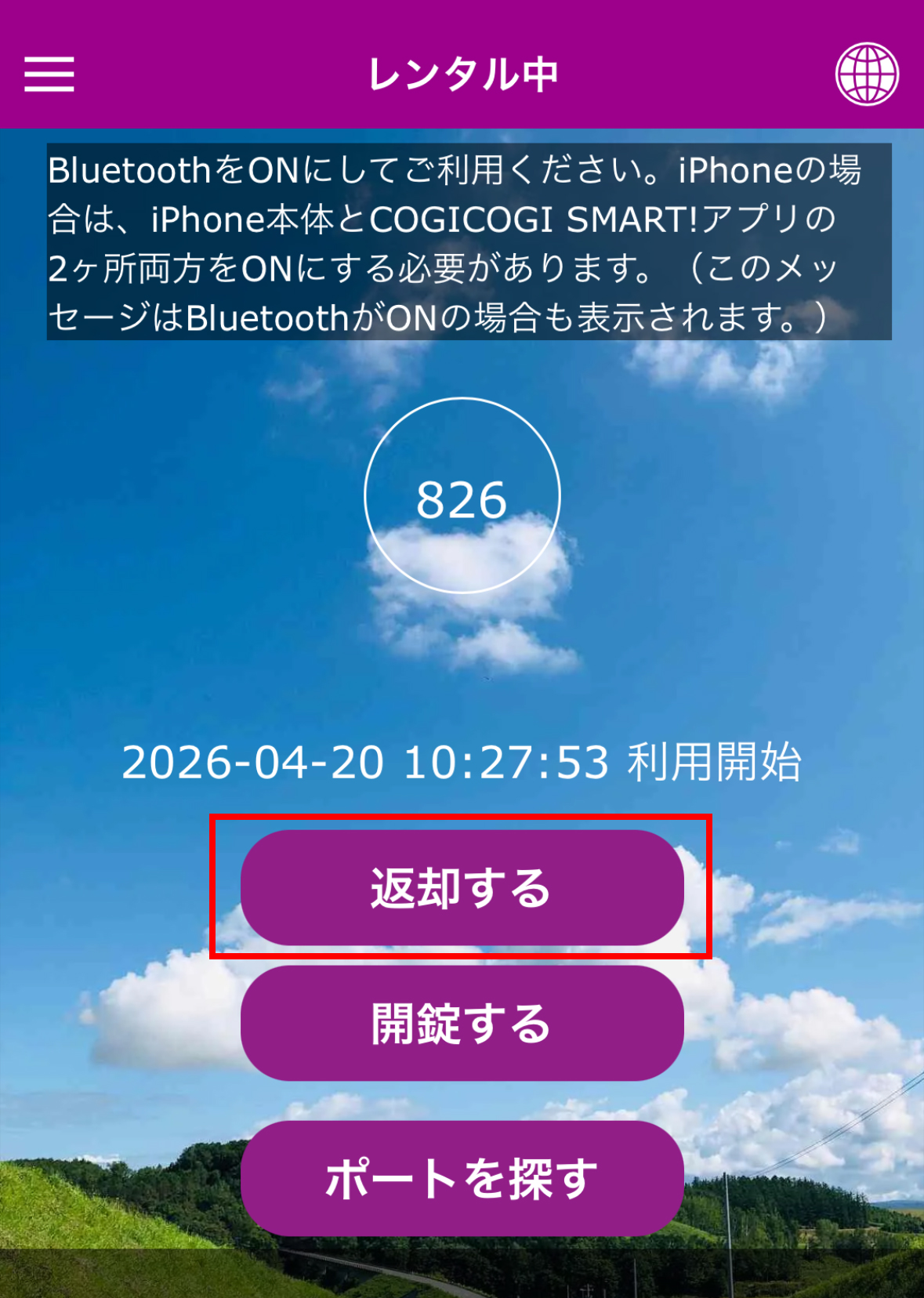
After locking the bicycle, press "Return" on the app screen to complete the return.
Lock the bicycle
Tap "Return"
Confirm that "Have a nice day" is displayed